# Misc Modding
# Tutorial: Framerate Unlocking
#### Prerequisites
| Cheat Engine | [**Download Here**](https://wiki.prowrestlingmods.io/link/9#bkmrk-cheat-engine-%7C-eric-) |
| 60 FPS Cheat Table File | [**Download Here**](https://storage.prowrestlingmods.io/scripts/cheatengine/60_FPS_Fix.rar) |
#### Step #1 | The installation
This is a very simple process, but must be followed with precision and in the correct order.
- Launch your WWE 2K19.
- Once launched (e.g. main menu), minimize **WWE 2K19** and open *'Cheat Engine'*.
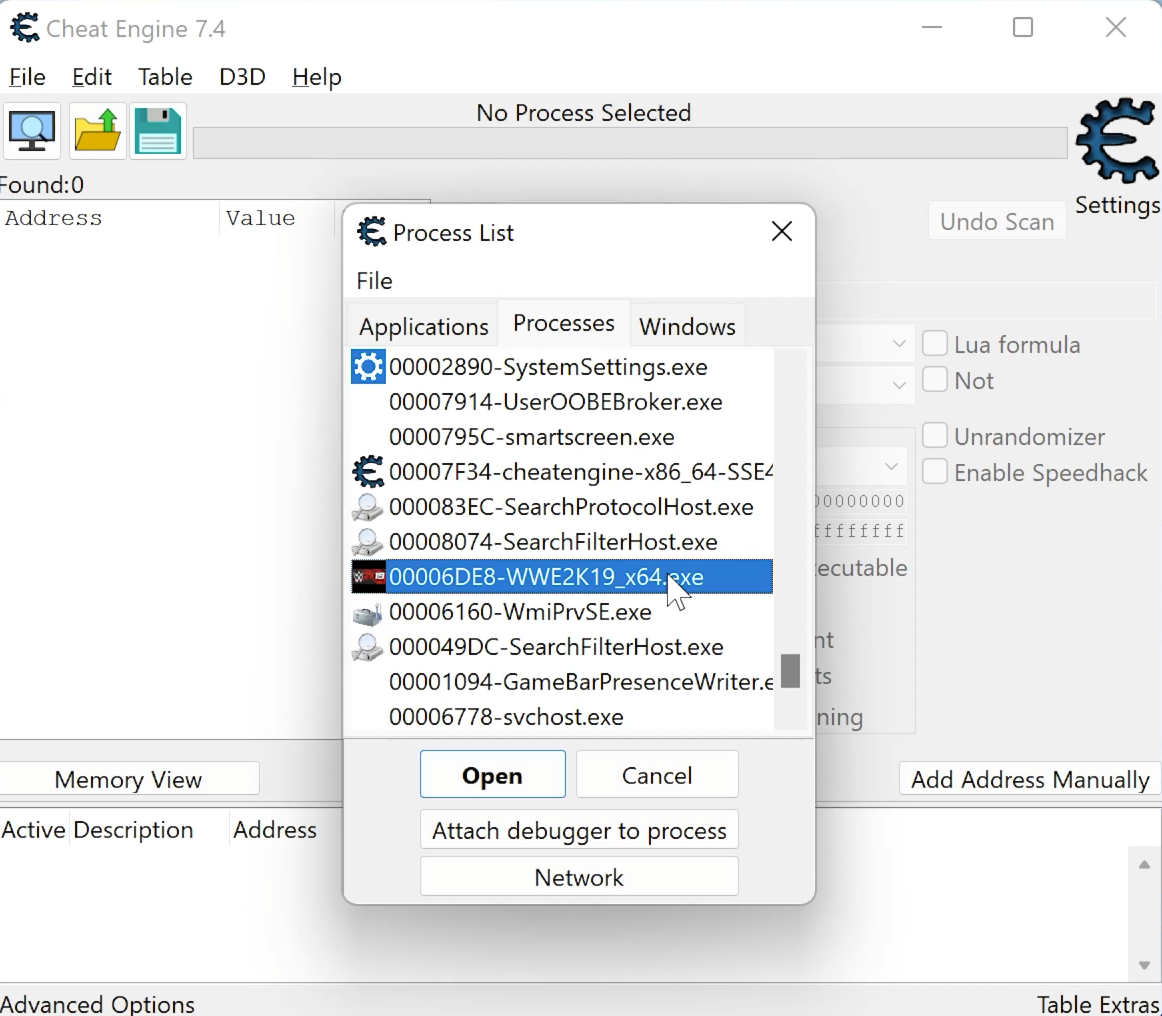
- Navigate to and press the monitor icon, search for the **WWE 2K19** process. Click *'Open'*.
[](https://wiki.prowrestlingmods.io/uploads/images/gallery/2022-02/cheat-engine.png)
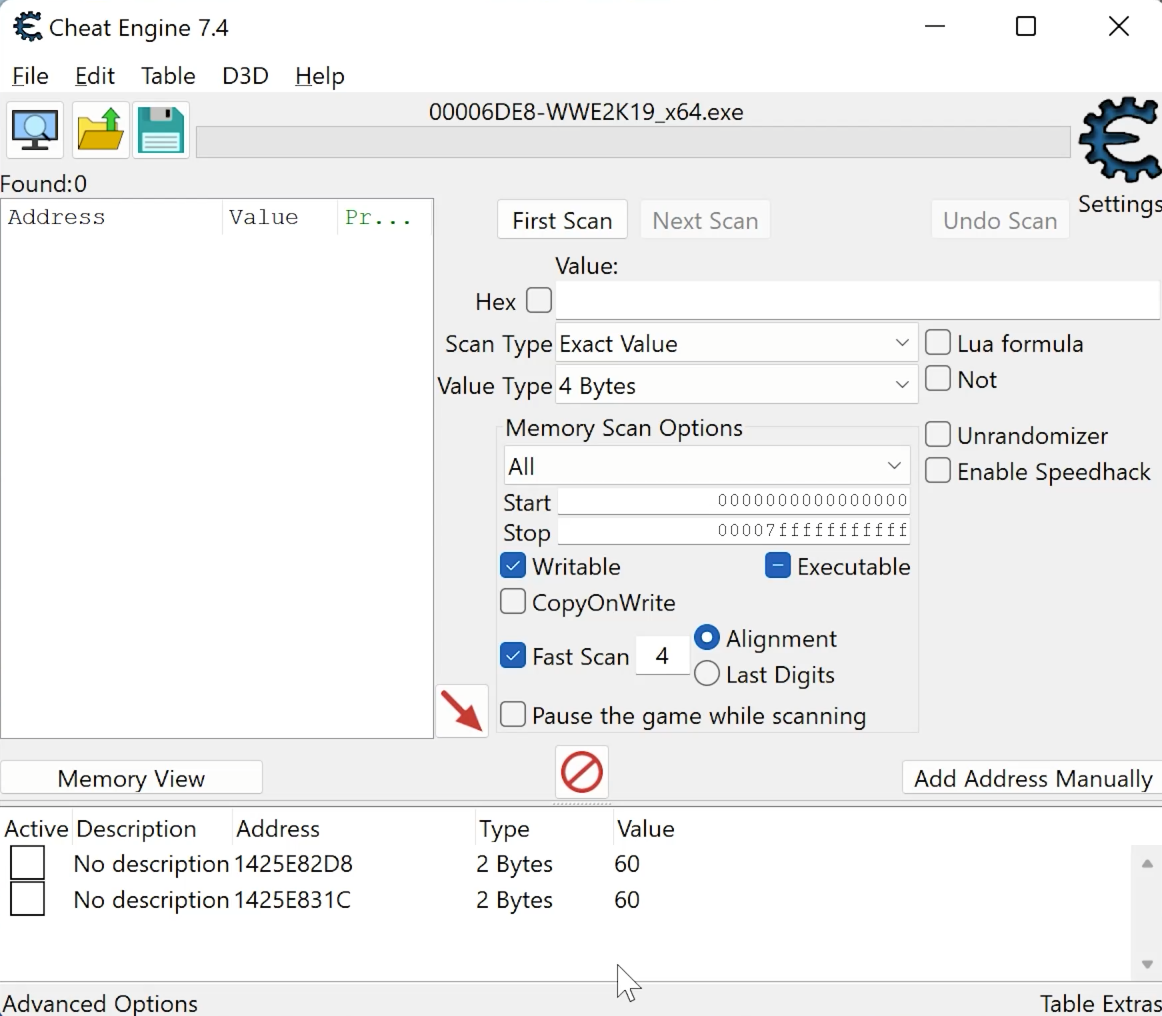
- Click the folder icon with the arrow (Ctrl + O shortcut) and select the *'60 FPS Fix'* file.
- You will now see addresses appear. Notice your values are both on 60. Do **not** enable now.
[](https://wiki.prowrestlingmods.io/uploads/images/gallery/2022-02/cheat-engine-2.png)
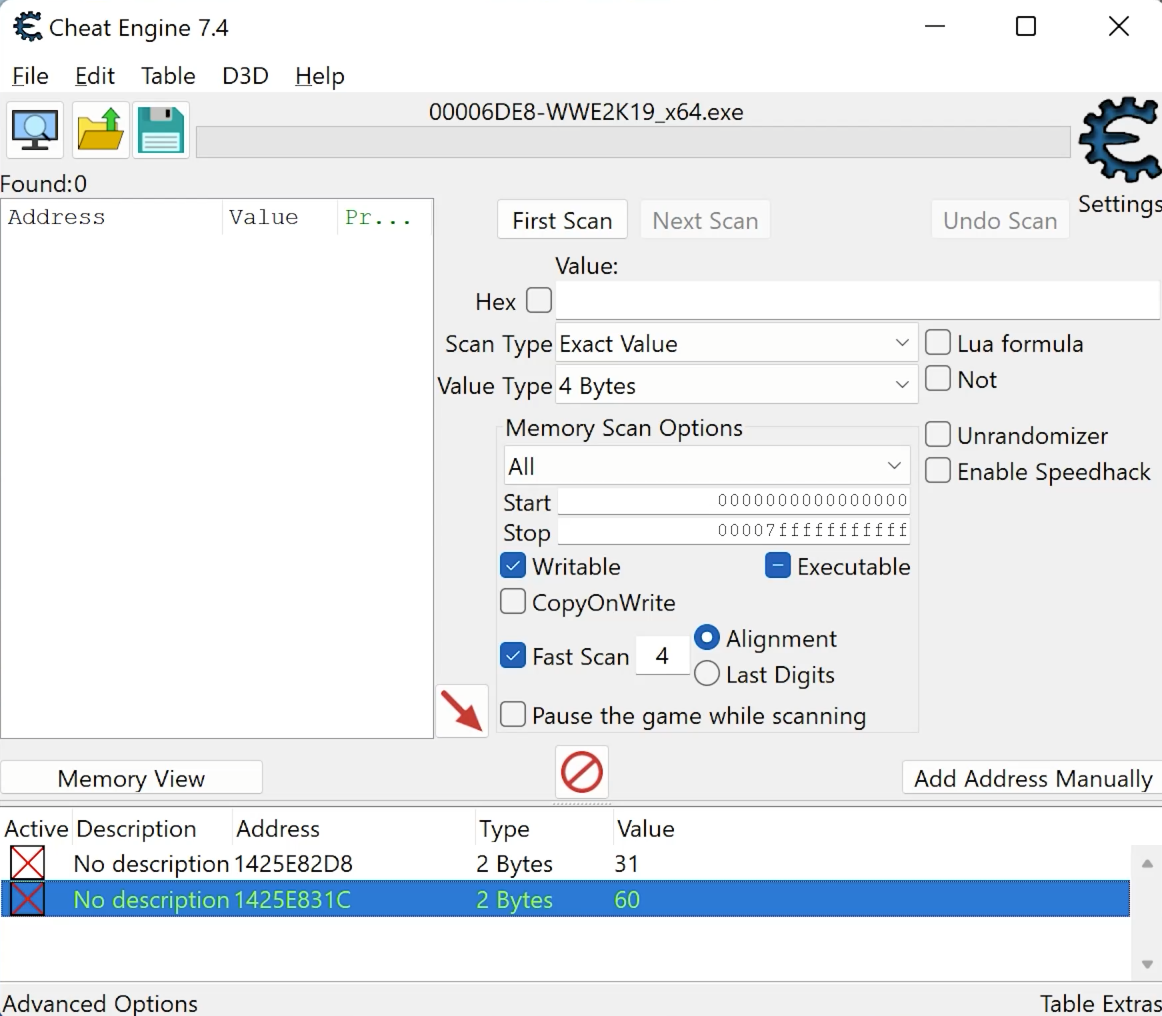
- Double click the value for the address ending in **D8** and change it to 31.
30 and below slows the game and 32 and above speeds it up. Keep it at **31**
- Your **values** should now look like this when you are done.
[](https://wiki.prowrestlingmods.io/uploads/images/gallery/2022-02/cheat-engine3.png)
#### Step #2 | Activation
The hard part has been done, you are now ready to enable the frame unlocking.
- In Cheat Engine, click the boxes in the first column to activate the fix. Y
- Unminimize your game.
- Enter **Create an Entrance** to test.
If this has been a success, you will now notice a significant change in the fluidity of your game.
#### Optional | Video Guide
If you are struggling to follow this tutorial please check out the **YouTube** video tutorial(s) below.